

AI BOOKING & CALL ASSISTANT
Respond to Calls and Website Chats Even When You’re Busy
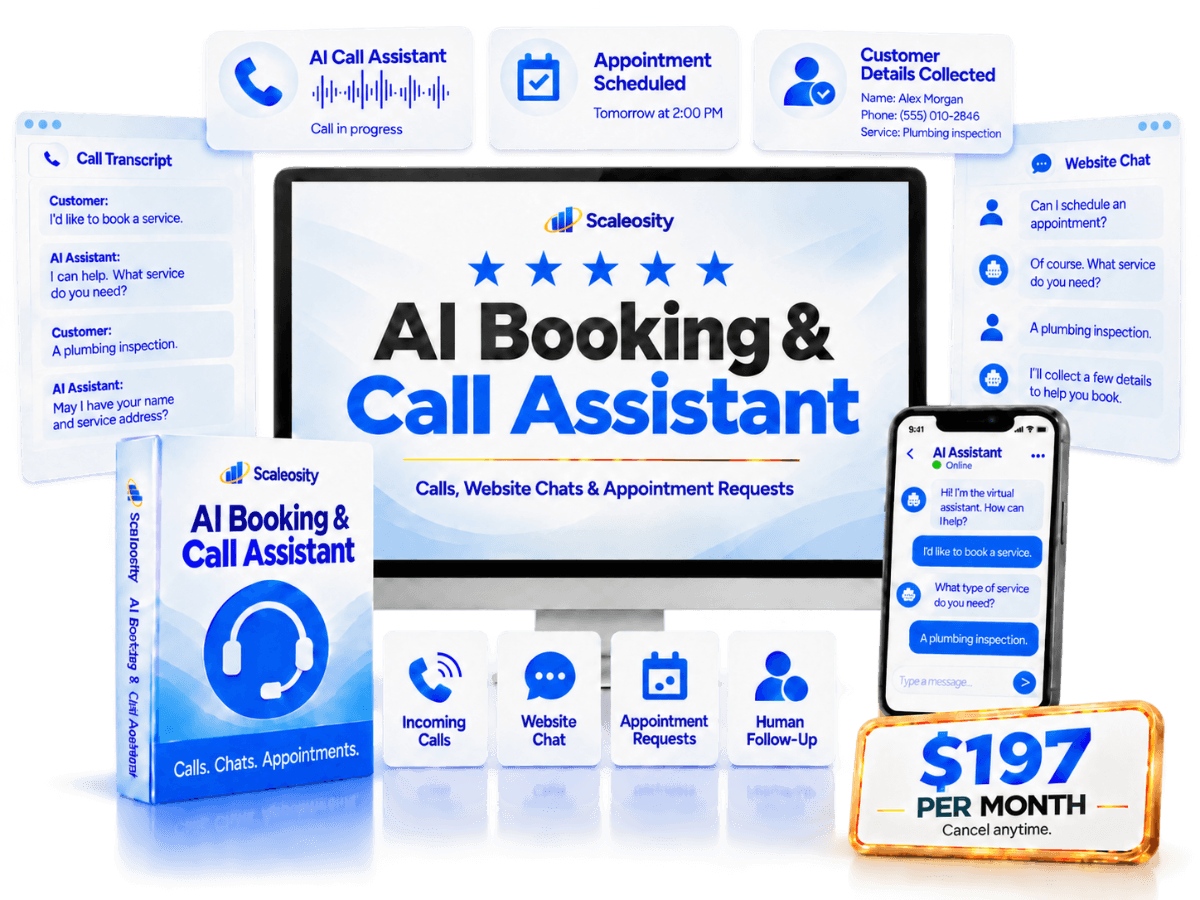
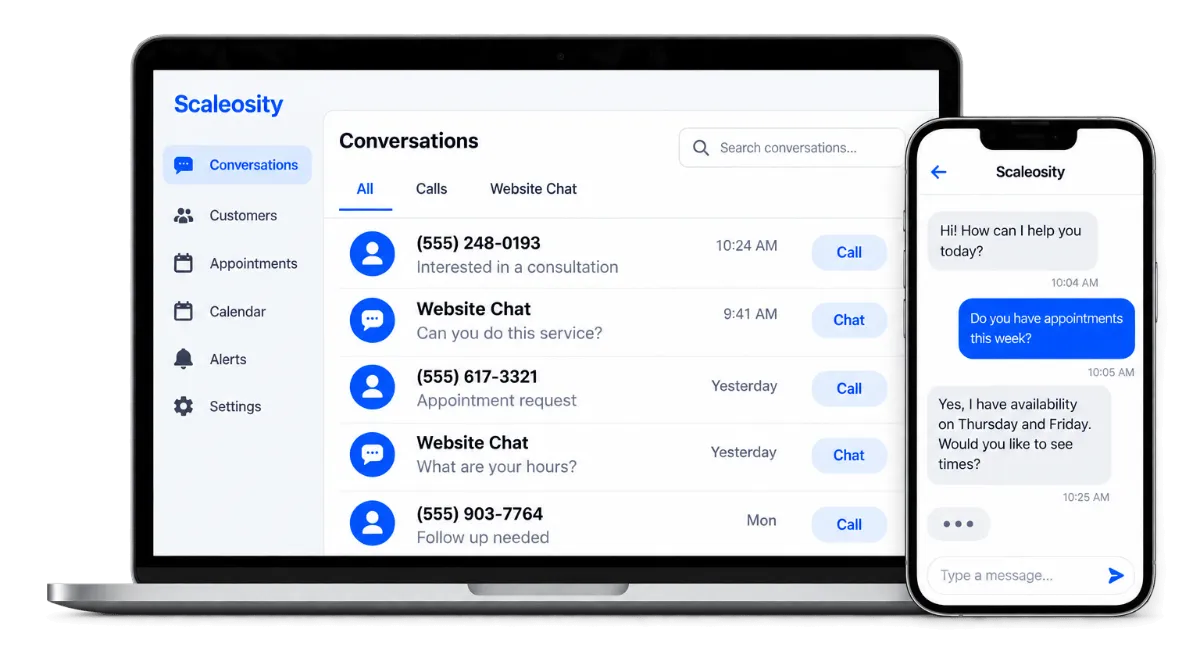
The AI Booking & Call Assistant responds to incoming calls and website chats using your business information. It can answer common questions, collect customer details, help book available appointments, and alert your designated contact when someone needs personal attention.
$197/month
No setup fee. Usage charges are billed separately based on actual activity.
Need a website and connected business tools too?
AI BOOKING & CALL ASSISTANT
Respond to Calls and Website Chats Even When You’re Busy
The AI Booking & Call Assistant responds to incoming calls and website chats using your business information. It can answer common questions, collect customer details, help book available appointments, and alert your designated contact when someone needs personal attention.
$197/month
No setup fee. Usage charges are billed separately based on actual activity.
Need a website and connected business tools too?
Respond to Calls and Website Chats Even When You’re Busy
The AI Booking & Call Assistant responds to incoming calls and website chats using your business information. It can answer common questions, collect customer details, help book available appointments, and alert your designated contact when someone needs personal attention.
Usage charges are billed separately based on actual activity.
Respond to Calls and Website Chats Even When You’re Busy
The AI Booking & Call Assistant responds to incoming calls and website chats using your business information.
It can answer common questions, collect customer details, help book available appointments, and alert your designated contact when someone needs personal attention.
Usage charges are billed separately
based on actual activity.
Customers Don’t Always Contact You
During a Quiet Moment
A customer may call while you’re helping someone else or start a website chat after you’ve closed. The AI assistant
gives them a way to ask questions and share what they need when you can’t respond personally.
Customers Don’t Always Contact You
During a Quiet Moment
A customer may call while you’re helping someone else or start a website chat after you’ve closed. The AI assistant gives them a way to ask questions and share what they need when you can’t respond personally.
Customers Don’t Always Contact You
During a
Quiet Moment
A customer may call while you’re helping someone else or start a website chat after you’ve closed. The AI assistant gives them a way to ask questions and share what they need when you can’t respond personally.

While you’re busy with a customer
The AI assistant can answer an incoming call, ask why the person is reaching out, and collect their contact information for the next step.

After business hours
Callers and website visitors can get answers to common questions and describe what they need without waiting for your business to reopen.

While someone is on your website
A visitor can start a chat, ask about your services, and get help requesting an appointment.

When a conversation needs personal attention, the AI assistant alerts your designated contact with the details it collected.
Help Customers Take the Next Step
by Phone or Website Chat
The AI assistant responds using the business information and instructions provided during setup.
It gathers useful details and helps customers move forward with their inquiry.
Help Customers Take the Next Step
by Phone or Website Chat
The AI assistant responds using the business information and
instructions provided during setup.
It gathers useful details and helps customers move forward with their inquiry.
Help Customers Take the Next Step by Phone or Website Chat
The AI assistant responds using the business information and instructions provided during setup. It gathers useful details and helps customers move forward with their inquiry.

Incoming calls
The AI assistant answers calls, finds out why the customer is contacting you, and responds to common questions about your business.

Website chats
Visitors can ask questions, describe what they need, and share their information through a conversation on your website.

Customer details
The AI assistant collects relevant contact information and details about the customer’s request, so you have a record to review.

Appointments
With a connected calendar, the AI assistant can book, reschedule, or cancel appointments directly. Otherwise, it can share the booking, rescheduling, or cancellation links you provide so customers can complete those steps.
Human follow-up
When a request needs personal attention, the AI assistant collects the details and alerts your designated contact.

Transcripts and summaries
Customer details, messages, and conversation summaries are available in your system, helping you see what happened and what needs attention next.
From the First Question to a Clear Next Step
Whether a customer calls or starts a website chat, the AI assistant follows a conversation
based on your business information and setup.
From the First Question to a
Clear Next Step
Whether a customer calls or starts a website chat, the AI assistant follows a conversation based on your business information and setup.
From the First Question to a
Clear Next Step
Whether a customer calls or starts
a website chat, the AI assistant
follows a conversation based on
your business information and setup.


It finds out what the customer needs
The AI assistant asks why they’re reaching out and answers common questions using the information you’ve provided.

It collects and confirms the details
It gathers relevant contact information and details about the request, then confirms key information so your business has a useful record.

It helps them move forward
The AI assistant can book through a connected calendar or share a scheduling link you’ve provided. If the request needs personal attention, it alerts your designated contact.
The conversation details are saved in your system, so you can review what happened and follow up when needed.
Give Customers Two Ways to
Reach the AI Assistant
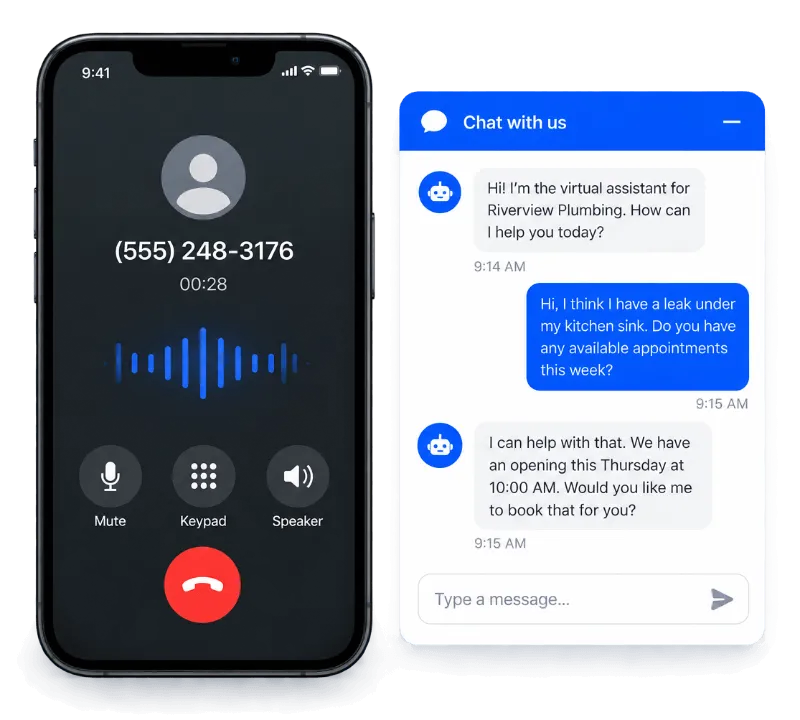
Some customers prefer to call. Others would rather ask a question while they’re on your website.
The AI assistant can respond through both channels using the information you provide about your business.
By phone
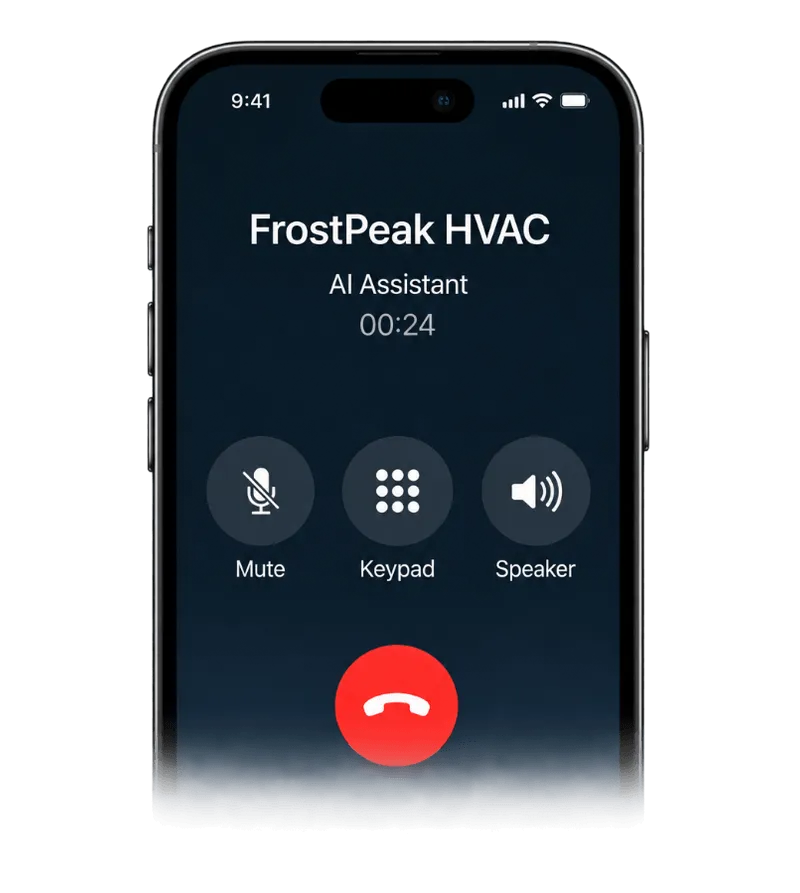
The AI assistant answers calls directed to it, identifies itself as a virtual assistant, and asks how it can help.
Call forwarding can route calls from your existing business number to the AI assistant according to the setup you choose.
By website chat
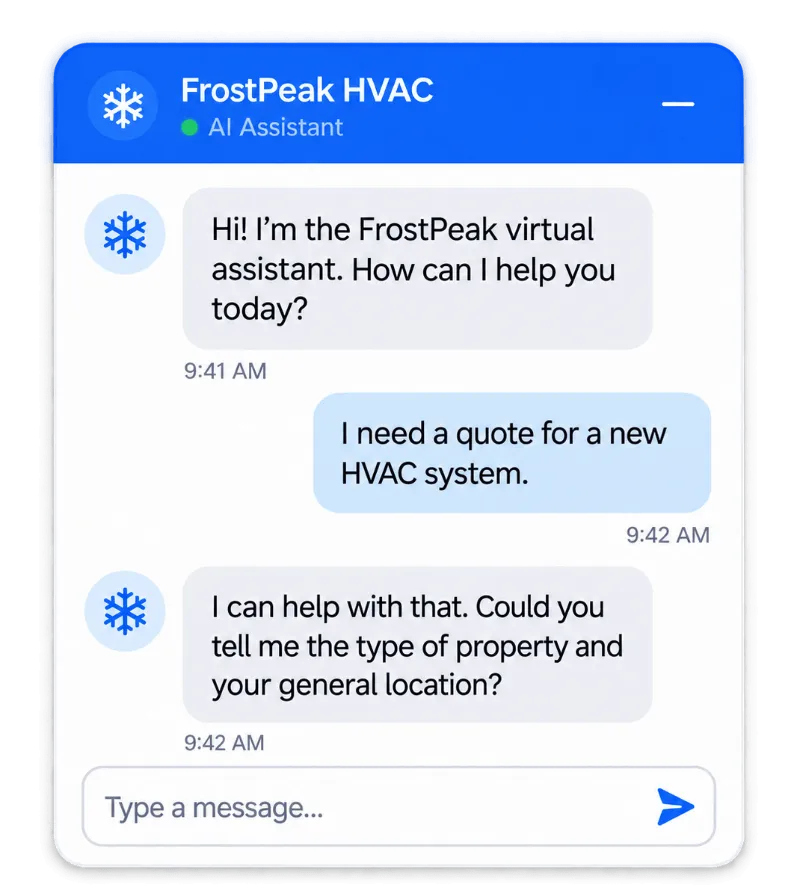
Visitors can ask questions, describe what they need, and share their information without leaving your website. The AI assistant can help them take the next step during the conversation.
Call and chat transcripts and conversation summaries are saved in your system, so you can review what happened
and see which conversations need follow-up. Call audio recording can also be enabled during setup.
Give Customers Two Ways
to Reach the AI Assistant
Some customers prefer to call. Others would rather ask a question while they’re on your website. The AI assistant can respond through both channels using the information you provide about your business.
By phone
The AI assistant answers calls directed to it, identifies itself as a virtual assistant, and asks how it can help.
Call forwarding can route calls from your existing business number to the AI assistant according to the setup you choose.
By website chat
Visitors can ask questions, describe what they need, and share their information without leaving your website. The AI assistant can help them take the next step during the conversation.
Call and chat transcripts and conversation summaries are saved in your system, so you can review what happened and see which conversations need follow-up. Call audio recording can also be enabled during setup.
Give Customers
Two Ways
to Reach the AI Assistant
Some customers prefer to call. Others would rather ask a question while they’re on your website. The AI assistant can respond through both channels using the information you provide about your business.
By phone
The AI assistant answers calls directed to it, identifies itself as a virtual assistant, and asks how it can help.
Call forwarding can route calls from your existing business number to the AI assistant according to the setup you choose.
By website chat
Visitors can ask questions, describe what they need, and share their information without leaving your website. The AI assistant can help them take the next step during the conversation.
Call and chat transcripts and conversation summaries are saved in your system, so you can review what happened and see which conversations need follow-up. Call audio recording can also be enabled during setup.
Try the AI Assistant by Phone and Website Chat
Our live demo uses FrostPeak HVAC, a fictional business, to show how the AI assistant responds to a call or website chat.
Ask a question or describe what you need to experience the conversation from a customer’s point of view.
Call the AI assistant
Hear how it answers a call, asks follow-up questions, and collects details.
866-650-1814
Call this number to try the live demo
Try the website chat
Visit the FrostPeak demo website and start a chat to see how the AI assistant responds online.
FrostPeak is an HVAC example. Your AI assistant will be set up with information about your own business.
Please use sample information in the demo; it does not book a real service appointment.
Try the AI Assistant
by Phone and Website Chat
Our live demo uses FrostPeak HVAC, a fictional business, to
show how the AI assistant responds to a call or website chat.
Ask a question or describe what you need to experience the
conversation from a customer’s point of view.
Call the AI assistant
Hear how it answers a call, asks follow-up questions, and collects details.
866-650-1814
Call this number to try the live demo
Try the website chat
Visit the FrostPeak demo website and start a chat to see how the AI assistant responds online.
FrostPeak is an HVAC example. Your AI assistant will be set up with information about your own business.
Please use sample information in the demo;it does not book a real service appointment.
Try the AI Assistant
by Phone and Website Chat
Our live demo uses FrostPeak HVAC, a fictional business, to show how the AI assistant responds to a call or website chat.
Ask a question or describe what you need to experience the conversation from a customer’s point of view.
Call the AI assistant
Hear how it answers a call, asks follow-up questions, and collects details.
Try the website chat
Visit the FrostPeak demo website and start a chat to see how the AI assistant responds online.
FrostPeak is an HVAC example. Your AI assistant will be set up with information about your own business.
Please use sample information in the demo; it does not book a real service appointment.
We Set Up the AI Assistant Around Your Business
Scaleosity configures the AI assistant using your services, business hours, common questions, and instructions for when a person should follow up.
You’ll receive login access during onboarding to view conversations, customer details, and appointments in your system.

1. Share your business information
During onboarding, you provide the details the AI assistant needs to answer customers. We also review your phone, website, and scheduling setup, including any scheduling links you use.

2. We prepare calls and chat
We configure the AI assistant’s responses, prepare the phone connection and website chat, and set up how customer details and alerts reach your designated contact.

3. Test it before launch
You can try the AI assistant by phone and website chat. We’ll address issues found during your review before it goes live.
We Set Up the AI Assistant Around Your Business
Scaleosity configures the AI assistant using your services, business hours, common questions, and instructions for when a person should follow up.
You’ll receive login access during onboarding to view conversations, customer details, and appointments in your system.
1. Share your business information
During onboarding, you provide the details the AI assistant needs to answer customers. We also review your phone, website, and scheduling setup, including any scheduling links you use.
2. We prepare calls and chat
We configure the AI assistant’s responses, prepare the phone connection and website chat, and set up how customer details and alerts reach your designated contact.
3. Test it before launch
You can try the AI assistant by phone and website chat. We’ll address issues found during your review before it goes live.
AI Phone and Website Chat Response for $197/Month
The AI Booking & Call Assistant responds to customers, collects their information, and helps them take the next step when you’re busy or closed.
Your subscription includes:
AI assistant responses to incoming calls and website chats

Answers to common questions using your business information
Collection of customer details and request information
Appointment handling through a connected calendar or scheduling links you provide
Alerts to your designated contact when a person needs to follow up

Access to conversations and customer details
Setup and testing before launch
No setup fee. Usage charges are billed separately based on actual activity.
BOTH TOGETHER
Need a Website and Connected Business Tools Too?
Get the Website & Business Growth System and AI Booking & Call Assistant together.
No setup fee. Usage charges are billed separately based on actual activity.
$294/month
AI Phone and Website Chat Response for $197/Month
The AI Booking & Call Assistant responds to customers, collects their information, and helps them take the next step when you’re busy or closed.
Your subscription includes:
AI assistant responses to incoming calls and website chats
Answers to common questions using your business information
Collection of customer details and request information
Appointment handling through a connected calendar or scheduling links you provide
Alerts to your designated contact when a person needs to follow up
Access to conversations and customer details
Setup and testing before launch
No long-term contract. Usage charges are billed separately based on actual activity.
BOTH TOGETHER
Need a Website and Connected Business Tools Too?
Get the Website & Business Growth System and AI Booking & Call Assistant together.
No setup fee. Usage charges are billed separately based on actual activity.
$294/month
Questions Before You Get Started
Do I need to change my business phone number?
No. Customers can keep calling your existing number. Depending on your phone setup, calls can go to the AI assistant right away or after they ring without an answer.
Can the AI assistant work with my website?
We’ll review your website during onboarding and confirm how to make the chat available to visitors.
Can it book, reschedule, and cancel appointments?
Yes. With a connected calendar, the AI assistant can book, reschedule, or cancel appointments directly. Otherwise, it shares the links you provide so customers can complete those steps.
What happens when a customer needs to speak with a person?
The AI assistant collects the relevant details and alerts your designated contact so they can follow up.
Will callers know they’re speaking with an AI assistant?
Yes. It introduces itself as a virtual assistant and tells callers that the call will be transcribed before collecting their information.
Are usage charges included in the $197 monthly price?
No setup fee. Usage charges are billed separately based on actual activity.
Can I cancel anytime?
Yes. The subscription is month to month. Email [email protected] before your next billing date to cancel.
Is there an annual payment option?
The AI Booking & Call Assistant is available for $197/month, with monthly billing only.
Does this include the Website & Business Growth System?
No. You can get both together for $294/month.
Be Ready When Customers Call or Start a Chat
Let the AI assistant answer common questions, collect customer details, and help with appointments
when you’re busy or closed. When a conversation needs personal attention, it alerts your designated contact.
No setup fee. Usage charges are billed separately based on actual activity.
Be Ready When Customers
Call or Start a Chat
Let the AI assistant answer common questions, collect customer details, and help with appointments when you’re busy or closed. When a conversation needs personal attention, it alerts your designated contact.
Be Ready When Customers
Call or Start a Chat
Let the AI assistant answer common questions, collect customer details, and help with appointments when you’re busy or closed. When a conversation needs personal attention, it alerts your designated contact.
No setup fee. Usage charges are billed separately based on actual activity.